Bandai US raffle (September 25, 2026)
Enter the current Premium Bandai US raffles (OP-17 and OP-16) with register+entry or raffle mode.
Premium Bandai sells some drops through raffles ("Enter for a chance to buy"). You need a logged-in Bandai account to enter, so more accounts means more entries. The bot handles both parts: it can create accounts and join raffles with them.
Current raffles
Two US raffles are open right now. Both are profitable, so we recommend entering both. The bot identifies a raffle by its campaign ID:
| Campaign ID | Product | Page |
|---|---|---|
375 | One Piece Card Game Booster Pack -The World's Strongest Warriors- [OP-17] | p-bandai.com/us/hotdeals/op17 |
374 | One Piece Card Game Booster Pack -The Time of Battle- [OP-16] | p-bandai.com/us/hotdeals/op16 |

375: OP-17 -The World's Strongest Warriors-.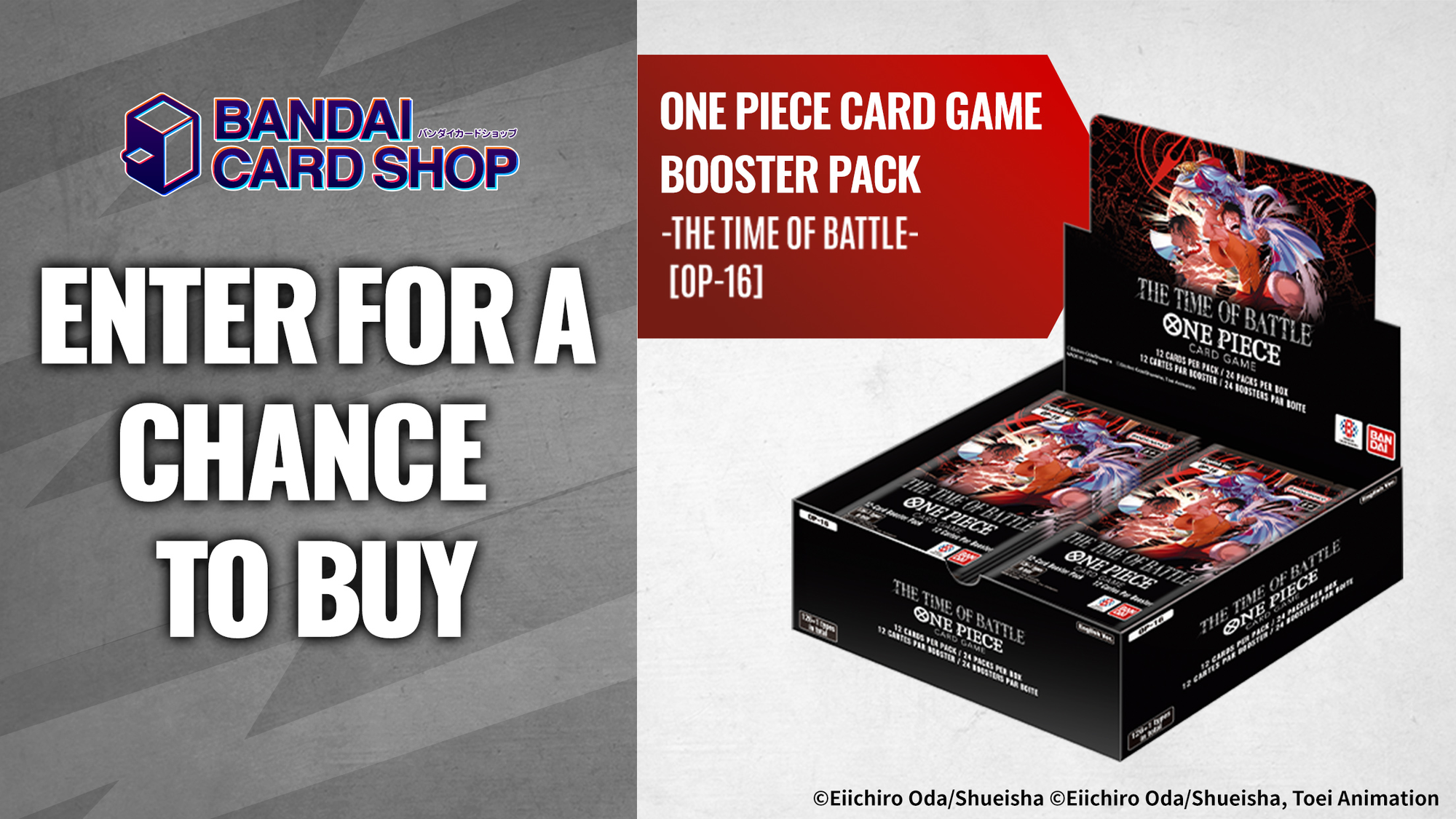
374: OP-16 -The Time of Battle-.Both are US raffles, so set the task country to us. Every open Bandai US
raffle is listed on p-bandai.com/us/hotdeals.
Pick a mode
| Mode | What it does | Use it when |
|---|---|---|
register+entry | Creates a new account, logs in, and joins every listed raffle. | Recommended. You're starting with no accounts. |
raffle | Logs into an existing account and joins every listed raffle. | You already have Bandai accounts, for example from register or an earlier drop. |
register | Only creates an account and saves it. | You want to build accounts now and enter later. |
We recommend register+entry. It does the whole job in one task, so you don't
have to create accounts first and then run a second set of tasks to enter.
What you need
Set these up before you create tasks. The setup guide explains each screen.
Settings
Open Settings and fill in:
| Key | Needed for |
|---|---|
| Apicloak API key | Every Bandai mode. |
| HeroSMS API key | register and register+entry. |
| Discord webhook | Optional. The bot posts a RAFFLE ENTRY! message for every entry. |
raffle mode doesn't need a HeroSMS key.
HeroSMS (phone verification)
Bandai checks a phone number when you register. The bot buys numbers from HeroSMS, an SMS verification provider. Create an account there, add balance, and paste your API key into Settings → HeroSMS API key.
For each account the bot:
- buys a number (HeroSMS service "other") in the country you choose;
- submits it to Bandai and waits up to 2 minutes for the SMS code;
- if no code arrives, buys a new number and tries again.
Each account costs one number, and a failed number costs one more, so keep enough balance for every task.
Emails and IMAP
Each new account uses an email address from an email list. Bandai sends a verification code to that address, and the bot reads it over IMAP.
- Emails – create a list and import one address per line. Every address must arrive in the inbox you configure below. A catch-all domain that forwards to one inbox works best.
- IMAP configs – add the inbox that receives those emails: host (for
example
imap.gmail.com), port993, the inbox address, and its password or app password. Gmail and most providers require an app password.
The bot looks for a message from Bandai, sent to the account's address, with Registration Complete in the subject. If no code arrives within 60 seconds, the task stops. If Bandai says an address is already registered, the bot deletes it from the list and tries the next unused address.
Accounts
Accounts are stored in Accounts in groups, and each group belongs to one
website. Create a group with the website set to Premium Bandai before you
register. The register and register+entry modes save every new account
into the group you pick as the task's Account group.
Registered accounts use:
- the email address from the list as the username;
- the password
Bandai12; - the first and last name from the task's profile;
- the phone number, saved with the account and included in exports.
To use accounts you made somewhere else, import them into a Bandai group as
email:password, one per line. See Accounts.
Proxies and monitor
- Proxies – a proxy group for the tasks.
- Monitors – a saved Premium Bandai monitor config with at least one proxy group. Raffle modes don't monitor anything, but the bot won't start a Bandai task without one.
Profile
register and register+entry need a Profile. Only its first and last
name are used for the account.
Get a PID
Every Bandai task needs a PID in the format basepid;atcpid. The bot opens
that product's page when it starts a session, so the PID must be a real product
from the region you're entering. For this US raffle, any product on the US site
works.
- Open any product page on p-bandai.com/us.
- Open the browser console: press F12 (or Ctrl+Shift+J, or Cmd+Option+J on macOS) and select Console.
- Paste this script and press Enter:
const html = document.documentElement.innerHTML;
const first = html.match(/areaItemNos":\["([^"]+)/)?.[1];
const basePid = document.querySelector("meta[property='og:url']");
const basePidSplit = basePid.content.split("/");
console.log(`${basePidSplit[basePidSplit.length-1]};${first}`);- Copy the printed value, for example
F2846706001;FAI0005951US, into the task's PID field.
Create register+entry tasks
- Open Tasks, create or select a group, and choose Create task.
- Choose website Premium Bandai and mode register+entry.
- Fill in the form:
| Field | Value |
|---|---|
| PID | The value from Get a PID. |
| Country | us |
| Campaign IDs | 375,374 to enter both raffles, or just one ID. |
| Profile | Any profile. Only its name is used. |
| Proxy group | Your task proxies. |
| Account group | The Premium Bandai group that stores the new accounts. |
| Email list | The list of addresses to register. |
| IMAP config | The inbox that receives those addresses. |
| HeroSMS country | Numeric HeroSMS ID of the country to buy numbers from, for example 16 for the United Kingdom. Find yours on HeroSMS country codes. |
| HeroSMS max price | Optional highest price you'll pay per number, for example 0.3. |
| Bandai phone country | Two-letter ISO code of the same country, for example GB. Bandai's registration form uses it as the phone country. |
The phone numbers don't have to come from the raffle's region. The example
below enters the US raffle with UK numbers (16 and GB). Make sure the
HeroSMS country and the Bandai phone country are the same country.
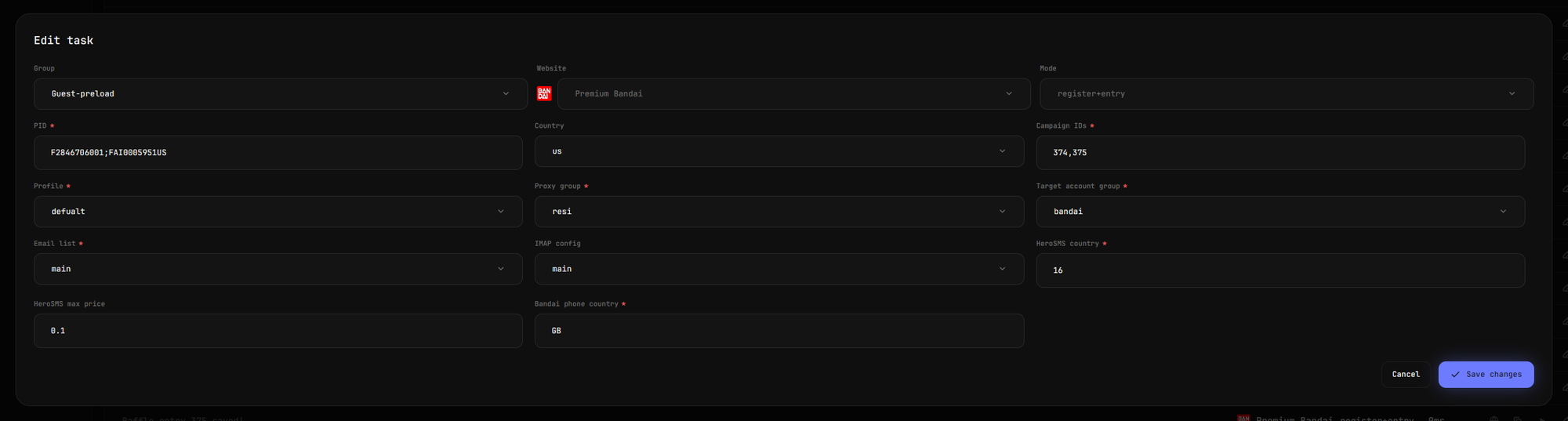
register+entry task for campaigns 374 and 375.- Set the count box to the number of accounts you want, for example
500. Each task uses one email. - Choose Create task, then Start in batches with a batch size such as
25.
Start in batches
We recommend creating many tasks and starting them with Start in batches
rather than Start all. With 500 tasks and a batch size of 25, only 25
run at the same time. As each one finishes, the next waiting task starts, so
you can leave the bot running through the whole list. This keeps you from
flooding Bandai with requests or buying hundreds of phone numbers at once.
Waiting tasks show Waiting for batch slot.... See
Controls for details.
Each task registers one account, saves it to the account group, logs in, and
joins each campaign in order. If joining keeps failing, the task restarts and
registers another account. The first account stays in the group, so you can
enter it later with raffle mode.
Create raffle tasks
Use this mode for accounts you already have.
| Field | Value |
|---|---|
| PID | The value from Get a PID. |
| Country | us |
| Campaign IDs | 375,374 |
| Proxy group | Your task proxies. |
| Account | Pick every account in the group to create one task per account. |
Start these with Start in batches too.
Check your entries
A successful entry shows Raffle entry 375 saved! (or 374) as the task
status. With a Discord webhook set, each entry also sends a message with the
campaign, account email, and proxy.
The bot tries each campaign up to five times. If it still fails, the task
restarts, and after five failed runs in a row it stops with Failed: ....
Rerun raffle mode only for the accounts that failed.